


NumberGuru: Spam & Caller ID
3.455.00 Reviews
App Specs
- Version
- 2.02.86
- Updated On
- License
- Free
- Downloads
- 10,000+
- Developer
- The NumberGuru LLC
- Categories
- Communication
- Platform
- Android
Screenshots
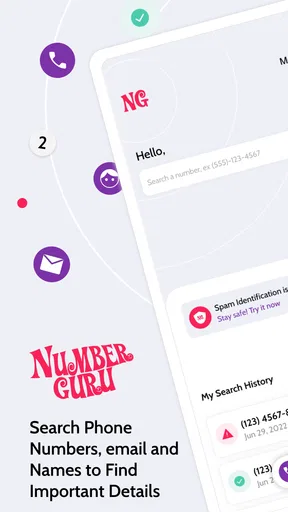
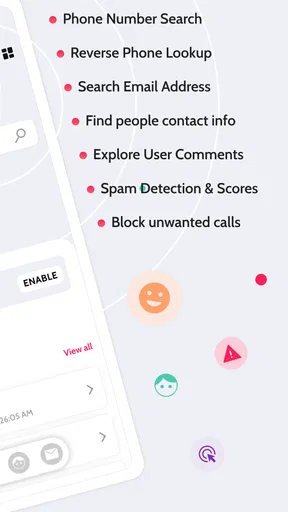
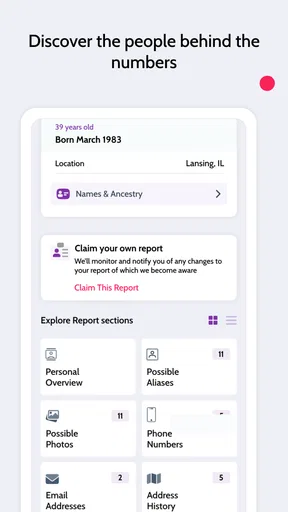
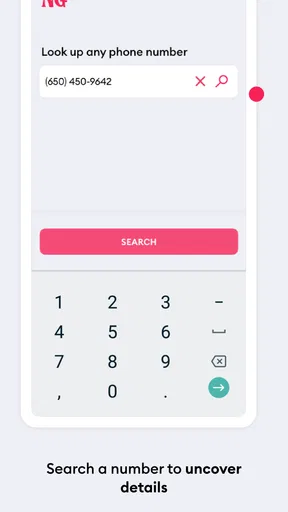
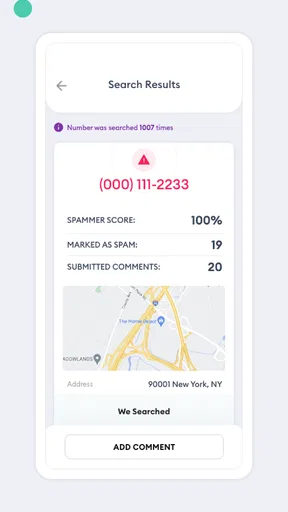
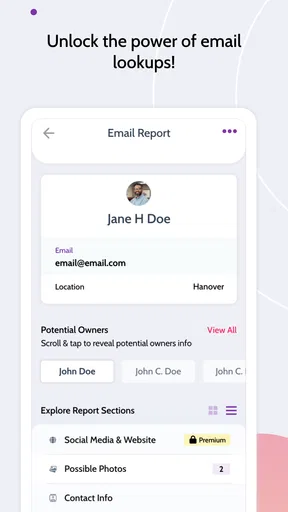
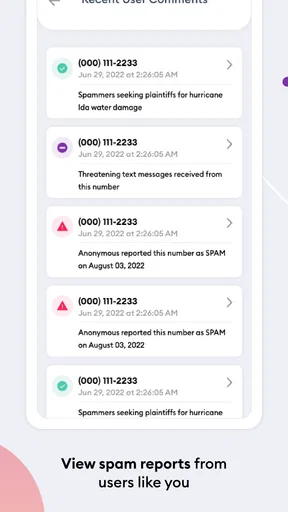
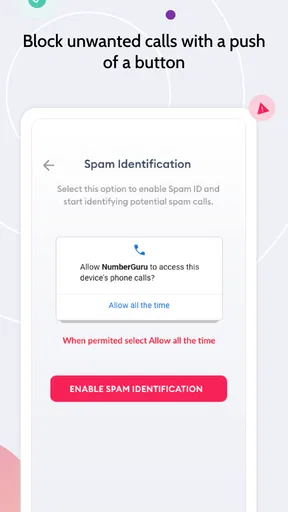
 Analysis by AppCompare
I usually judge a caller-identification app by one practical question: does it help me decide what to do with an unfamiliar number before I waste time answering or calling back? NumberGuru: Spam & Caller ID takes that focused approach. It is a free communication app from The NumberGuru LLC built around reverse phone lookup, name and number searches, and spam-call identification. I found it most useful as a quick second opinion when a number appears without a saved contact, rather than as a complete replacement for the phone app already on my device.
The appeal is easy to understand. An unknown call can be a delivery driver, a former contact, a business, a wrong number, or an unwanted sales attempt. NumberGuru gives you a place to investigate the number instead of relying only on instinct. That makes it relevant for people who receive frequent calls, manage calls for a small business, or simply prefer checking before returning an unfamiliar call.
How I would decide whether NumberGuru fits
The first thing I would consider is how often you actually need reverse lookup. If unknown calls are occasional, a lightweight search tool can be enough. If your day is filled with calls from new customers, service providers, or numbers outside your contacts, the value is greater because a quick check can become part of your normal routine. I would not install it just because every phone should have a caller-ID app; I would install it because I regularly need context around numbers I do not recognize.
NumberGuru is listed in the Communication category and is free to install. Its age rating is Everyone, which makes the basic concept accessible to a broad audience. The app has an average rating of 3.4 from around 132 ratings, with around 55 written reviews, so I would treat the public response as mixed rather than assuming that every lookup will be equally useful. It has reached over 10 thousand installs, suggesting a modest user base rather than the scale of the biggest caller-identification services.
That scale matters when comparing categories of alternatives. A phone’s built-in caller tools are convenient because they require no separate workflow. Large caller-ID platforms may be preferable to someone who wants a broad, continuously visible protection layer. A general web search can be better when the number belongs to a public business. NumberGuru sits between those options: it is a dedicated lookup utility for people who want to search a number deliberately.
My decision would also depend on what I expect from a result. If I need a firm answer about who is calling, I would be cautious. Reverse lookup results can depend on whether a number has a useful public or community-associated identity. A result that gives me a clue is still valuable, but it is not the same as proof. I would never use an app result alone to decide whether to share account details, send money, or reveal a verification code.
A sensible everyday workflow
Imagine that I am waiting for a repair appointment and receive a call from a number I do not recognize. I can let the call go to voicemail, open NumberGuru, and search the number before calling back. If the result suggests a business or a suspicious caller, I have more context. If the result is inconclusive, I still have the safest next step: wait for a message or contact the company through a number I already trust.
Worth Reading Before You Choose

Flipboard Shows What News Apps Must Do Beyond the Feed

Switching to Android Auto Means Rethinking Your Driving Routine

Google Calendar Makes a Crowded Week Easier to Manage

Ludo King Makes the Most of the Minutes Between Plans

Baby Panda World Brings Quick Play to Modern Phones, but Its Game Library Feels Busy

ESPN’s Live Game View Makes Following Close Games Easier
That workflow is more useful than treating the app as an automatic judge. I would keep the unknown number visible, search it carefully, and compare any displayed identity with the reason I expected a call. A mismatch is a warning sign. A match is helpful context, but I would still avoid assuming that a familiar-looking label guarantees legitimacy.
One practical tip is to search before returning a call, not after an uncomfortable conversation. That keeps the lookup focused on a decision you control. Another is to record the surrounding context mentally: when the call arrived, whether a voicemail was left, and whether the number resembles a company number you were expecting. The search becomes much more useful when combined with those details.
What the lookup experience is good at
The strongest part of NumberGuru is its narrow purpose. I do not have to turn a vague concern about a phone number into a complicated investigation. I can search a name or number and use the result as a starting point. For someone who wants a simple way to check an unfamiliar caller, that directness is the main reason to try it.
It can also help separate two tasks that people often mix together. First, I want to identify or investigate a number. Second, I want to decide whether to answer, call back, block, or ignore it. The app is better suited to the first task. It can inform the second, but it should not make the decision for me. Keeping that distinction in mind prevents overconfidence.
The app is especially sensible for occasional manual checks. I might use it after a missed call, before replying to an unknown text, or when a number appears in a message that feels unexpected. These are moments when opening a dedicated lookup tool is less disruptive than changing my whole calling setup.
There is also a useful privacy-minded habit here, even without making assumptions about the app’s internal handling of searches: I would avoid pasting sensitive personal numbers into any lookup service unless I am comfortable with that choice. For ordinary unknown callers, the benefit may justify the search. For private family numbers or confidential business contacts, I would think twice and use a trusted contact method instead.
Where the product may feel limited
The biggest limitation is that a lookup result cannot guarantee the caller’s intent. Numbers can be reused, displayed inaccurately, or associated with incomplete information. A spam label can be a useful warning, but the absence of a warning does not make a call safe. That is why I see NumberGuru as an information layer rather than a security shield.
I would also be careful about expecting the app to replace the phone’s normal call controls. My preferred setup would still use the device’s own blocking and voicemail options when I need to stop repeated interruptions. NumberGuru makes more sense before that action, when I am trying to understand what a number might be. If your priority is automatic filtering with minimal manual work, a different category of tool may suit you better.
The public rating reinforces that measured view. An average of 3.4 is not a reason to dismiss the app, but it is also not a reason to expect a flawless experience. I would test it with a few ordinary unknown numbers and decide whether the results are clear enough for my needs. If searches regularly leave me with vague or unhelpful information, the app will not earn a permanent place in my routine.
There is another trade-off around attention. A manual lookup takes an extra step, and that is precisely why some people will prefer built-in caller identification. NumberGuru is more appealing when I want control over when a search happens. It is less appealing when I want every incoming call analyzed automatically in the background.
Comparing the main alternatives
The first alternative is the phone’s built-in caller and spam controls. They win on convenience: they are already integrated into calls, so there is less switching between screens. I would choose that route if my main concern were reducing interruptions with as little effort as possible. NumberGuru has the advantage when I want to actively investigate a number rather than simply accept or reject an automatic label.
The second alternative is a broad caller-ID and spam-blocking service. That category may be a better fit for someone who receives a high volume of suspicious calls and wants ongoing protection. I would look there if automatic identification, blocking, and a larger community-driven experience were more important than keeping searches manual. NumberGuru is easier to understand as a focused lookup companion, not necessarily as a full call-management system.
The third alternative is a normal web search. This can work well for a publicly listed company, especially when I already know the business name or location. It is less convenient when all I have is a number and no useful context. NumberGuru’s value is that it keeps the investigation centered on phone numbers and names instead of making me sort through unrelated search results.
Finally, there is the simplest alternative: do nothing. Let the unknown call go to voicemail, then return it only through a trusted channel if the message is important. That approach is often best for people who rarely receive unknown calls or who handle sensitive information. NumberGuru adds convenience, but it should not pressure me into responding to callers I would otherwise ignore.
What switching really costs
Because the app is free, the main cost of trying it is not the download price. It is the extra decision point in my calling routine. I have to remember to open the app, enter or select the number, read the result, and then return to my call screen. For occasional checks, that is a small inconvenience. For dozens of calls a day, it may become tiring.
The listing also shows in-app purchases priced at $24.99 per item. I would not assume that paying is necessary for the basic idea of searching a number, and I would review the purchase screen carefully before confirming anything. A free starting point makes experimentation reasonable, but the upgrade cost means I would first establish that the lookup results are genuinely useful in my own area and calling habits.
Switching away is equally straightforward in practical terms: I can stop using the app and return to built-in call controls or another lookup method. The harder part is deciding which workflow I prefer. Manual lookup gives me more control but requires attention. Automatic caller protection saves time but may feel more intrusive or may produce labels I still need to interpret. That is the real comparison, not simply free versus paid.
For a fair trial, I would use NumberGuru only when I encounter numbers I genuinely need to investigate. I would not judge it by searching random numbers all day. After several real situations, I would ask myself three questions: did the result arrive quickly enough to help, was the identity clear enough to act on, and did it reduce uncertainty without encouraging risky callbacks? Those answers matter more than the download count or the app’s store summary.
Who should use it and who should skip it
I would recommend giving NumberGuru a try if you want a dedicated reverse phone lookup tool, prefer checking unknown numbers manually, and do not need every call screened automatically. It is a reasonable companion for missed calls, unexpected texts, and occasional spam concerns. It may also suit someone who wants to keep the phone’s existing call controls while adding a separate research step.
I would skip it if you expect guaranteed identification, automatic blocking, or a complete replacement for your phone’s call management. I would also look elsewhere if your work depends on highly reliable business verification. In that situation, I would confirm the caller through the company’s official website, an existing invoice, or a known contact channel rather than relying on any reverse lookup result alone.
Parents and less technical users may appreciate the straightforward purpose, but I would still explain the limits before handing over responsibility to the app. The safest lesson is simple: an unknown number deserves caution, whether the search produces a name, a spam indication, or no useful result at all.
My recommendation after using the app
NumberGuru is worth trying when your goal is clear and modest: investigate an unfamiliar number before deciding what to do. I like that its purpose is easy to grasp, and the free entry point lowers the barrier to testing it. The current version is 2.02.86, and it supports devices running Android 7.0 or later, so compatibility is practical for many older Android phones as well as newer ones.
Still, I would keep my expectations grounded. The app does not remove the need for judgment, and it is not the right answer for everyone who wants spam protection. Its best role is a manual lookup companion, especially for people who value a quick second opinion but do not want to replace their normal calling tools.
My final advice is to use NumberGuru as a clue-finding tool, never as permission to trust a stranger. Try it with real missed calls, compare its usefulness with your phone’s built-in options, and avoid paying for anything until the basic workflow proves valuable. If you want deliberate searches and a simple way to investigate names and numbers, it can earn a place on your device. If you want automatic screening with almost no interaction, a broader caller-protection alternative will probably be the better match.
Pros
- Identifies many unknown callers before you answer.
- Reverse lookup can reveal useful details about suspicious numbers.
- Spam warnings help reduce unwanted calls and interruptions.
- Simple interface makes searches quick for first-time users.
- Community reports can add context to frequently flagged numbers.
Cons
- Results may be incomplete for private or newly created numbers.
- Some features may require a paid subscription or in-app purchase.
- Caller information can occasionally be outdated or inaccurate.
- The app may request access to contacts or call-related permissions.
- Frequent searches or call screening can increase battery and data use.
FAQs for NumberGuru: Spam & Caller ID
What is NumberGuru: Spam & Caller ID used for?
NumberGuru: Spam & Caller ID is designed to help identify unknown callers and recognize potential spam or unwanted calls. After entering a phone number or receiving a call, the app may display available caller information, community reports, and warnings associated with that number. It can be useful for deciding whether to answer, block, or ignore suspicious calls, although results may vary depending on the number and available database information.
Can NumberGuru identify every unknown phone number?
No, NumberGuru cannot guarantee identification for every phone number. Its results depend on information available in public sources, user reports, and the app’s caller database. Newly created numbers, private numbers, business lines with limited records, and numbers from unsupported regions may return little or no information. Even when a name or location appears, users should treat it as a helpful indication rather than definitive proof of the caller’s identity.
Does NumberGuru automatically block spam calls?
NumberGuru primarily focuses on caller identification and spam awareness, but blocking features can depend on the version of the app, your device, and the permissions you grant. On some phones, it may work with the system’s call-blocking or caller-ID functions, while on others you may need to block numbers manually. Review the app settings and your operating system’s call controls before relying on it as your only spam protection.
Is NumberGuru: Spam & Caller ID free to download and use?
The app may be available to download at no initial cost, but certain features can require in-app purchases, a subscription, or usage limits depending on the current version and your region. Before confirming a subscription, check the pricing page, billing period, trial conditions, and cancellation rules shown in the relevant app store. Availability and costs may change, so the store listing is the most reliable source for current details.
What privacy permissions does NumberGuru require?
To provide caller identification and spam-related functions, NumberGuru may request access to phone calls, contacts, notifications, or other device features. The exact permissions vary between Android and iOS and may change with updates. Before accepting, review each permission and enable only what you consider necessary. Also read the app’s privacy policy to understand how phone numbers, search activity, and any submitted reports may be collected or processed.


